![SpacetoCo_Logo2_black.png]](https://support.spacetoco.com/hs-fs/hubfs/SpacetoCo_Logo2_black.png?height=50&name=SpacetoCo_Logo2_black.png)
Note: All reviews and responses are publicly visible on your Space page and must adhere to our Review Policy.
This article is for Hosts who want to manage or respond to reviews submitted for their Space.
Benefits of Customer Reviews
When Customers leave reviews for your Space, it helps build your online presence and credibility:
- Free promotion: Customer reviews highlight your venue and build brand awareness.
- Search engine visibility: Search engines like Google index review content on your Space listing.
- Peer recommendations: Prospective Hirers place high trust in recommendations from other Customers.
- Feedback and improvement: Reviews offer insights to help resolve issues and improve your business operations.
- Customer connection: Publicly responding allows you to build a positive relationship with your Customers.
How to Respond to a Review
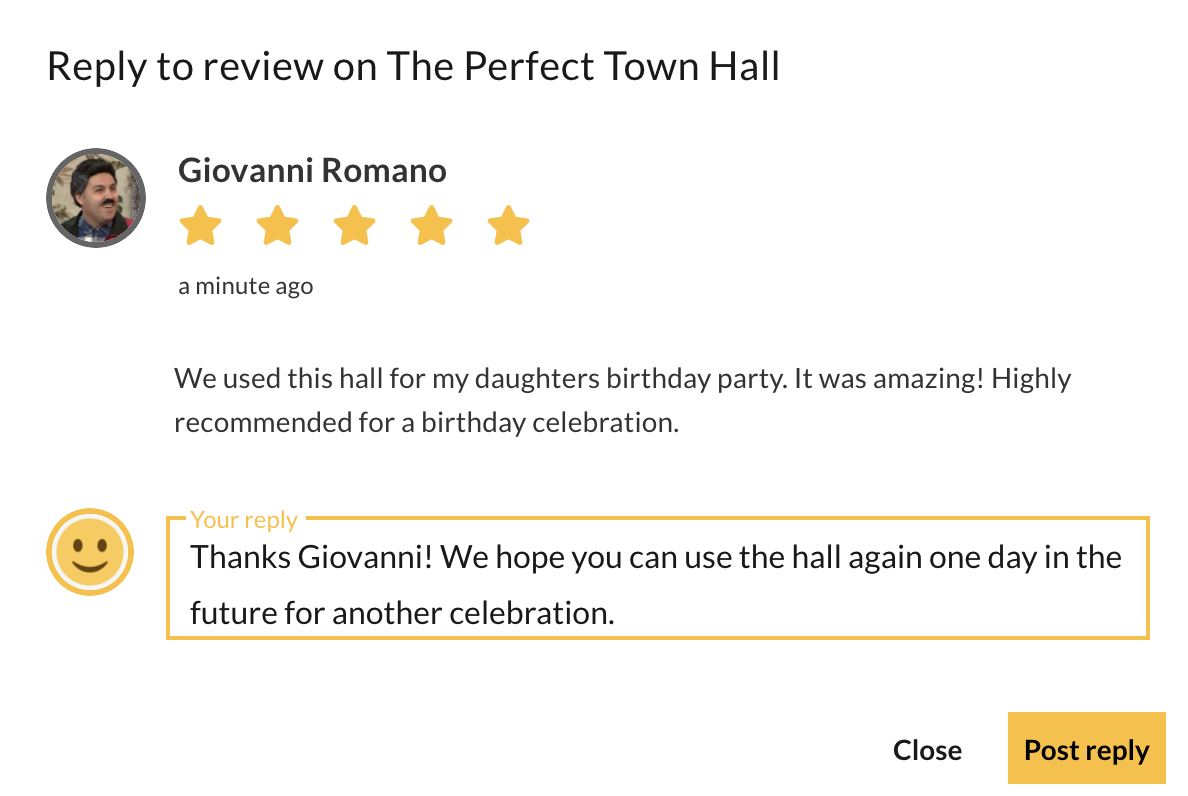
- Go to your Space Reviews Dashboard
- Locate the review you want to address.
- Type your response and submit.
Frequently Asked Questions
-
Who can leave a review on your Space?
Any Casual or Regular Customer who has completed a booking at your Space in the last 90 days can leave a review. -
Are reviews and responses public?
Yes. All reviews and Host responses display publicly on your Space listing page. -
What should you do if a review is inappropriate?
If you believe a review is unwarranted or violates policy, contact SpacetoCo support at info@spacetoco.com to request a review.