![SpacetoCo_Logo2_black.png]](https://support.spacetoco.com/hs-fs/hubfs/SpacetoCo_Logo2_black.png?height=50&name=SpacetoCo_Logo2_black.png)
When you sign up to SpacetoCo, you provide basic account information including your first name, last name, email address, and password. You can add more details to complete your profile from your dashboard.
Profile Information
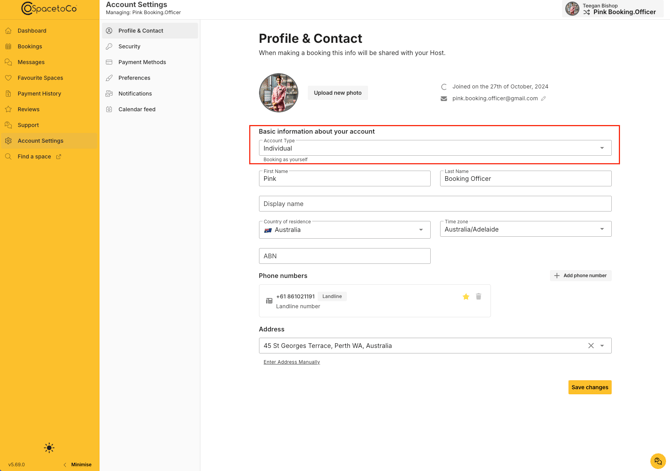
You can update the following details on your profile:
- Avatar: Upload a profile photo. Account initials are displayed by default.
- Display Name: Set the public name displayed on your profile instead of your full name.
- Address: Add your physical address for billing and receipt purposes.
- Phone number: Provide a contact number so Hosts or SpacetoCo support can reach you if needed.
- Account Type: Select whether you are an Individual or Organisation.
- Other Information: Other information you can update in this area includes your ABN or NZBN
Note: Hosts review your profile details when evaluating booking requests. Providing accurate profile information helps Hosts approve your requests faster.
How to Update Your Profile
- Go to your Account Settings
- Edit your profile details and save your changes.
Review the SpacetoCo Privacy Policy to learn how your personal information is managed.