![SpacetoCo_Logo2_black.png]](https://support.spacetoco.com/hs-fs/hubfs/SpacetoCo_Logo2_black.png?height=50&name=SpacetoCo_Logo2_black.png)
This article is for Hosts who want to aggregate multiple Host accounts or large inventories into a single landing page.
Why Use an Organisation Page?
Organisation Pages allow Hosts to:
- Unify branding: Showcase multiple Spaces under one central entity.
- Simplify navigation: Help Customers search and filter across multiple connected Host accounts.
- Increase visibility: Promote different facility types, resources, and leases in one place.
How Organisation Pages Differ from Host Pages
- Standard Host Page: Displays Spaces listed exclusively under a single Host account.
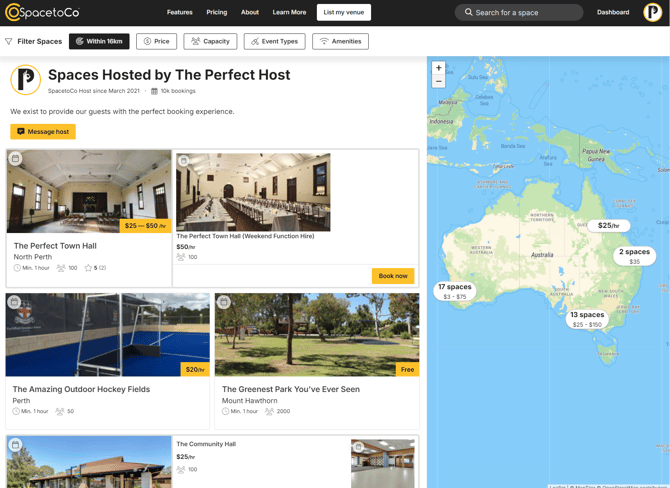
Organisation Page: Aggregates Spaces and resources across multiple accounts into categorised lists.
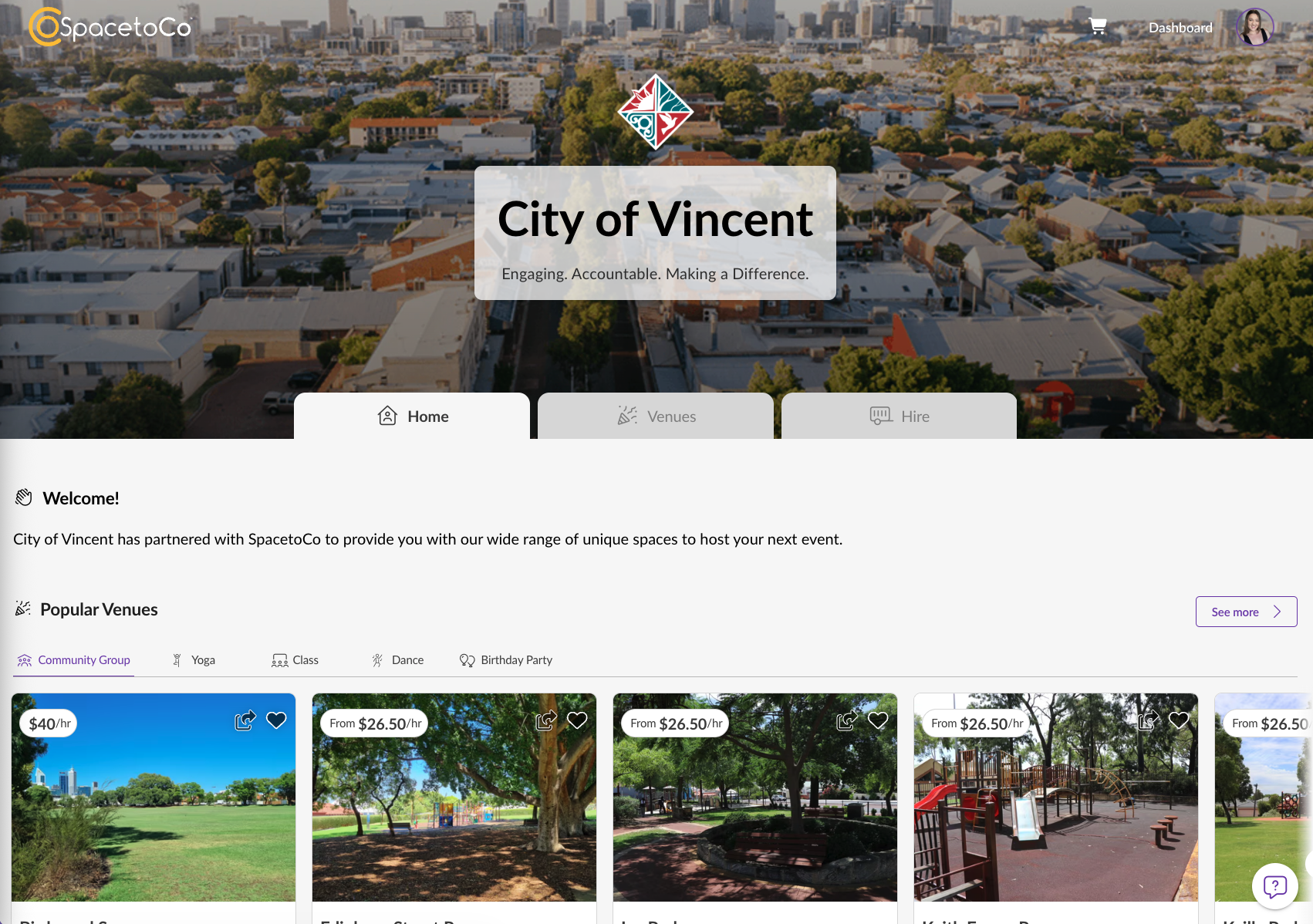
Examples of Organisation Pages
You can view live examples of Organisation Pages on SpacetoCo:
These pages illustrate how Organisation Pages integrate various booking types into a user-friendly environment.
How to Qualify for an Organisation Page
Organisation Pages are a feature available exclusively to Partner-Pro accounts.
To qualify, your account must be on the Partner-Pro plan and meet at least two of the following criteria:
- At least 10 Spaces:
A minimum of 10 active Spaces available for hire. - Multiple Host accounts:
Managing more than one SpacetoCo account under one overarching entity. - Peppercorn leases:
Managing local government-owned buildings leased to independent community organisations. - Shared resources:
Offering hireable resources such as trailers, equipment, or community buses. - Accommodation or camping:
Offering overnight accommodation, camp sites, or related facilities.
Setting Up Your Organisation Page
If your account qualifies or if you are interested in setting up your own organisation page, reach out to the SpacetoCo team with your expression of interest via email to info@spacetoco.com
What We Require When Setting Up Your Organisation Page
Once your account qualifies, the SpacetoCo team will collaborate with you to build your page. You will need to provide the following assets:
- Tagline: A short phrase displayed directly below your organisation name.
- Welcome Message: A brief intro text shown in the welcome banner section.
- Banner Image: A high-quality background photo for the top header region. Recommended dimensions: 1440 × 500 px minimum; accepted formats: JPG or PNG; maximum file size: 5 MB.
- Transparent Logo (Dark Background): A transparent logo file (preferably white) for display over dark images or headers. Accepted format: PNG with transparency; recommended height: 80–120 px.
- Transparent Logo (Light Background): A transparent logo file designed to display clearly against white or light backgrounds. Accepted format: PNG with transparency; recommended height: 80–120 px.
Example: